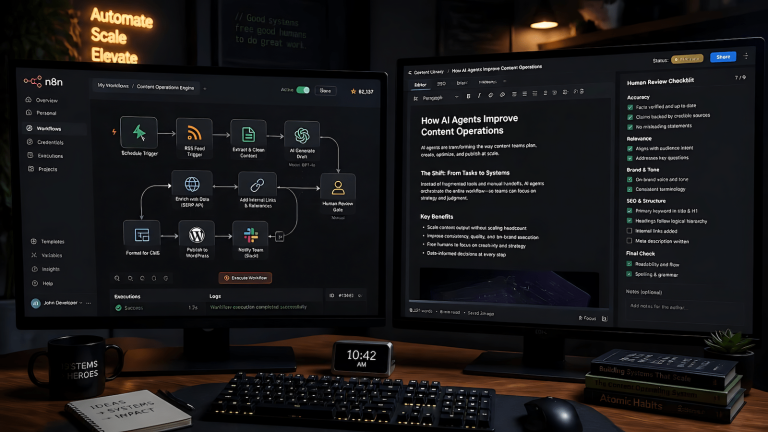
n8n is an orchestration layer. It handles scheduling, data transformation, HTTP calls, database operations, and integrations with hundreds of services. What it does not do natively is drive a browser. For any workflow step that requires a real authenticated browser, posting to a platform with no API, navigating a multi-step UI, or maintaining a live session across runs, you need to reach outside n8n. The n8n Playwright automation question that follows is which approach to use and why the answer matters for production pipelines. Three approaches exist in 2026. One uses the Execute Command node. One uses a community node. The third is what EchoCast actually runs on in production and the only one that holds up at scale.
Option 1: Execute Command Node
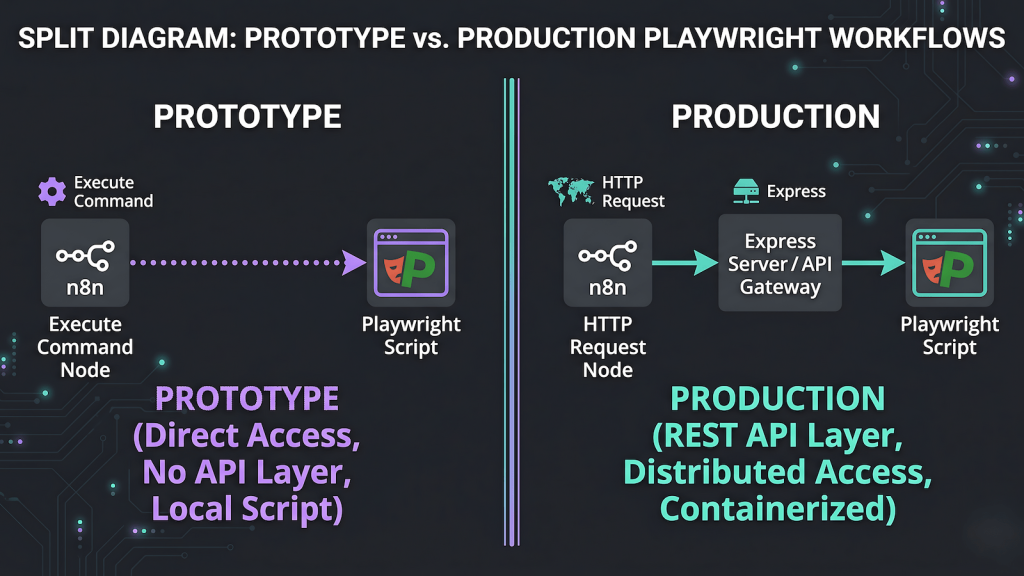
n8n’s Execute Command node runs a shell command on the host machine and captures the output. If you have a Playwright script that accepts arguments, n8n can invoke it directly by passing a shell command string. The script reads its payload from process.argv, executes the browser workflow, and exits with a status code. Zero means success. Non-zero means failure. n8n captures stdout and stderr and passes them downstream.
This approach works. It is the right way to validate that n8n can talk to your Playwright scripts before building anything more complex. The debugging loop is fast: run the exact same command in a terminal and you are replicating what n8n does. Your n8n playwright automation is confirmed working with minimal infrastructure.
The structural limits become clear quickly. The Execute Command node is synchronous and stateless. The workflow halts and waits for the script to exit. There is no persistent process. Error reporting is limited to stdout content and exit codes. Managing persistent browser contexts, the mechanism that keeps auth sessions alive across runs, is awkward from scripts that spin up and exit on each call. For a one-off test or an infrequent task this is acceptable. For a daily pipeline running across five platforms with per-platform session state, it is the wrong tool.
Option 2: The n8n-nodes-playwright Community Node
The n8n-nodes-playwright community node installs directly into n8n and exposes Playwright actions as native nodes in the workflow editor. No shell commands, no external server, no separate process to manage. You configure the node with a URL, an action, and any required selectors, and n8n executes the browser step inline with the rest of the workflow. For simple scraping tasks, single-page interactions, or one-off browser checks, this is the fastest path from zero to working automation.
The community node works well within its scope. The scope is narrower than it looks. It does not support persistent browser contexts out of the box, which means each execution spins up a fresh browser instance with no session state carried over from previous runs. For platforms that require authentication, this means re-authenticating on every run or building session injection logic around the node that adds complexity faster than the node itself saves it. The node also runs inside n8n’s process rather than as an independent service, which limits error isolation and makes debugging harder when browser steps fail mid-workflow.
The n8n-nodes-playwright community node is the right tool for lightweight, stateless browser tasks inside n8n. It is the wrong tool for a daily multi-platform syndication pipeline where session management, error isolation, and independent restartability are non-negotiable. That distinction is why EchoCast does not use it despite the lower setup cost.
Option 3: Express Wrapper as a Persistent Server
EchoCast runs on echocast-server, a lightweight Express application managed by PM2 that runs persistently alongside n8n on the same machine. n8n calls it via an HTTP Request node as a standard POST with a JSON payload containing the post title, body content, and canonical URL. The server receives the request, resolves which Playwright script to invoke for the target platform, triggers it, and returns a structured JSON response. n8n parses the response and routes to success or error handling.
The PM2 process table shows both n8n and echocast-server as peers: both online, both managed by the same process supervisor, both surviving machine restarts without manual intervention. This is the key structural difference from the Execute Command approach. The server is always running. It does not spin up and exit on each call. It maintains state between requests, handles logging internally, and manages the auth directory references that persistent contexts require. Understanding how those auth directories are structured is covered in detail in persistent browser session automation with Playwright, which documents the per-platform context pattern EchoCast uses to stay logged in across daily runs.
The server’s route structure is minimal. One POST route per platform. Each route calls the corresponding Playwright function. Each Playwright function uses launchPersistentContext with the appropriate auth directory for that platform. The response contract is consistent: a success flag, a message, and any relevant metadata about what was posted. n8n does not need to know anything about Playwright internals. echocast-server does not need to know anything about how n8n structures its workflows.
Why This Architecture Was Chosen
The Express server approach was chosen over Execute Command for three reasons that all trace back to the same principle: production n8n playwright automation needs a persistent, observable, independently manageable execution environment.
First, persistent browser context management is significantly cleaner from a running server than from on-demand scripts. The auth directories, the pre-run session checks, the expiry detection: all of this is easier to reason about when the execution environment does not tear itself down after every call.
Second, error handling is more capable. An Express server can log to a structured file, return typed error codes that n8n can act on, and handle partial failures without the n8n workflow needing to parse raw stderr output. The notification path when a session expires requires the server to return structured data, not an exit code.
Third, the HTTP interface is the natural integration point for n8n. n8n speaks HTTP. Every API it integrates with speaks HTTP. Building a small HTTP server around the Playwright execution layer puts it in the same category as any other service n8n calls, which makes the workflow logic cleaner and the mental model simpler.
This execution layer is one component in a larger pipeline. The full syndication workflow it feeds, including how n8n orchestrates content extraction, per-platform rewrites via Ollama, and Dev.to API publishing, is in n8n content syndication automation: how EchoCast works.