If you’re a working QA engineer wondering whether AI belongs in your workflow or just in vendor pitch decks, this post is the answer I wish existed two years ago. I’ve been using AI tools in real client QA work, including active casino game testing with Playwright on a live production pipeline, and the gap between what gets written about AI in QA and what actually happens when you use it is significant. It’s not that AI isn’t useful for QA testing. It is. But the useful version looks nothing like what most guides describe.
The common framing positions AI as a test case generator you point at a feature spec and walk away from. That framing produces garbage output and erodes trust in the tool. The version that actually works treats AI as a thinking partner for specific, bounded tasks, where you already know what you’re looking for and need the cognitive load reduced, not the judgment removed. That distinction is the entire ballgame. Get it wrong and you’ll spend more time fixing AI-generated nonsense than you would have writing the test yourself. Get it right and you reclaim hours of mechanical work every sprint.

Where AI Earns Its Place in a QA Workflow
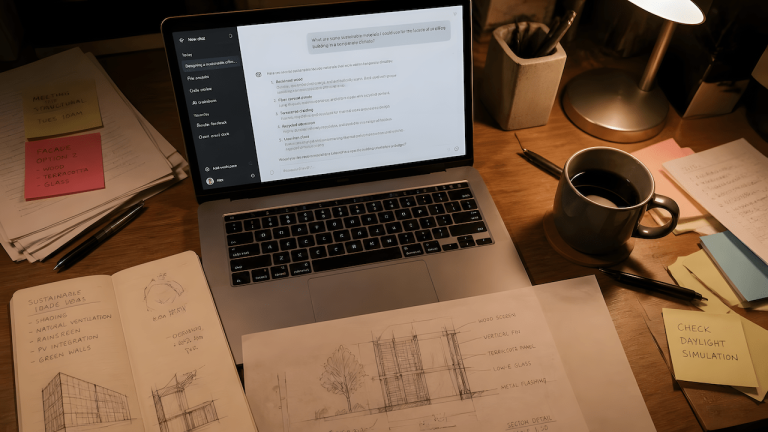
The most reliable use case for AI in QA testing is first-draft coverage for test cases when you have a clear acceptance criteria document or user story. This is not the same as asking AI to invent scenarios. You feed it a spec, ask for boundary conditions and negative paths you might have missed, and treat the output as a checklist to react to, not a final document to ship. The value is speed and breadth. A practitioner can scan a list of 30 AI-generated test case ideas in two minutes and pull out the six that are genuinely useful. Writing those six from scratch takes fifteen minutes. That compression is real and repeatable.
Prompt engineering is what separates useful AI output from noise in this context. A vague prompt like “generate test cases for the login feature” will produce the same generic happy-path list you could write yourself in five minutes. A structured prompt that specifies the feature behavior, the user type, the data constraints, and the failure modes you’re specifically worried about produces something you can actually use. The skill isn’t in knowing how to use ChatGPT. The skill is in knowing how to describe your testing problem with enough precision that the output is worth reviewing. If you want a practical framework for that, the QA Prompt Builder on QAJourney is a good place to start.
[qaj_ad_mid]
What AI Actually Generates in Practice (With Real Examples)
Test case generation is the entry point, but it’s not where the highest leverage lives. For exploratory testing sessions, AI is useful for brainstorming attack vectors before you start clicking. I’ll describe the feature I’m about to test, the known user flows, and any edge conditions visible from the ticket, then ask for a list of things worth probing. The output is a thinking prompt, not a test plan. I’m looking for the one or two scenarios I hadn’t considered. Everything else I already had.
For automation, the highest-value use of AI is generating Playwright script scaffolding from a bug report or a described flow. Writing the repetitive parts of a test script, the navigation steps, the selector setup, the assertion structure, is mechanical work. A well-structured prompt produces a working scaffold that cuts the time from bug report to reproducible script significantly. The caveat is that AI-generated selectors are frequently brittle, especially on dynamic interfaces. Any script that comes out of an AI assistant needs a manual review pass for selector quality before it goes into a regression suite. The guide to Playwright automation for real-world QA on QAJourney covers what that review pass should look for.
For API testing, AI is useful for generating request payloads that cover boundary conditions and malformed data scenarios. If you’re manually testing an endpoint and need to cover 20 input permutations quickly, having AI generate a set of test data objects is faster than writing them by hand. This is especially true for negative testing at the API layer, where the permutations are predictable but tedious. The same principle applies to documentation drafting. Bug reports, test summaries, and regression notes are all candidates for AI-assisted first drafts that you edit, not outputs you publish directly.
The Limits AI Won’t Tell You About
The problem with most AI-in-QA content is that it stops at the capabilities list and skips the failure modes. Here’s what I’ve found doesn’t work well in practice.
AI cannot assess risk. It can enumerate scenarios, but it has no understanding of which flows matter most in your specific product, which edge cases have historically caused outages, or which features are fragile because of technical debt the team hasn’t resolved yet. Risk judgment is what separates a senior QA engineer from a checklist. AI produces checklists. You produce judgment. That relationship doesn’t invert just because the tool is capable of generating text that sounds authoritative.
AI-generated test logic also has a consistency problem that shows up specifically in automation. Scripts generated from prompts tend to use inconsistent selector strategies, mix async patterns in ways that create race conditions, and miss the application-specific patterns your framework has already established. I’ve seen AI-generated Playwright code pass a local smoke run and fail immediately in CI because it didn’t account for the network conditions in the pipeline. The code looked fine. The logic was wrong for the environment. That’s the category of failure that only a practitioner who understands both the test framework and the deployment environment can catch. The piece on testing AI-generated code in a hybrid QA workflow on QAJourney goes into exactly this problem.
AI also degrades fast when you move beyond text-and-logic territory. Visual regression, accessibility testing, and performance profiling all require either specialized tooling that AI doesn’t directly control or human judgment about what a “correct” state looks like. These are not gaps that will be closed by better prompting. They’re structural limitations of the current generation of tools.
[qaj_ad_mid]
How AI Fits Into a Structured QA System
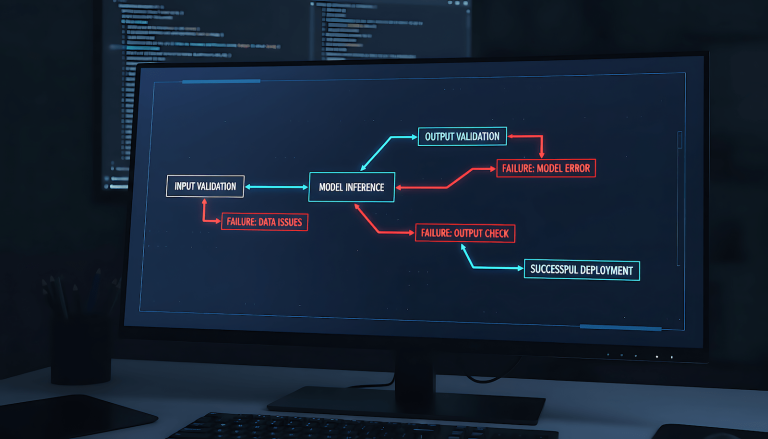
The teams that get value from AI in QA are the ones that treat it as a component in a structured workflow, not a general-purpose oracle. That means defining where in your process AI touches the work. Pre-sprint, AI is useful for coverage gap analysis and test data generation. During execution, it’s useful as a debugging assistant and for generating reproduction steps from a described failure. Post-sprint, it’s useful for drafting test summaries and exit reports.
What it’s not useful for is replacing the decisions that require product context, historical knowledge of the codebase, or risk judgment. Those decisions are where QA engineers earn their position. The fear that AI replaces QA is backward. The more accurate concern is that teams will use AI to skip the manual testing phase that teaches QA engineers which flows are worth automating in the first place. Automation judgment comes from manual testing experience. If you automate before you understand, you automate the wrong things confidently. That problem doesn’t get better with AI. It gets faster.
For a practical look at how that tradeoff plays out in a real workflow, the structured AI QA workflow post on QAJourney is the companion read to this one. And if you want to understand the broader pattern of where AI-generated code breaks in production, the EAI post on AI code that passes tests but breaks production covers the developer-side version of the same problem.
What a Practical AI-Assisted QA Stack Looks Like
For anyone putting this into practice, here’s how the stack works at a workflow level without overpromising on what any individual tool delivers.
You use AI at the planning layer for coverage mapping and test case ideation. You use it at the execution layer for scaffolding automation scripts and generating test data. You use it at the reporting layer for first-draft documentation. At every layer, a practitioner reviews the output before it moves to the next stage. The AI does not push directly to any production artifact without human review. This is not a limitation of trust in the tool. It’s the correct architecture for any system where errors have consequences.
The model you use matters less than the prompts you use and the structure you operate within. ChatGPT is the starting point most people have access to. Claude, Gemini, and local models via Ollama all work for the same tasks. The consistency of your prompting discipline and your review process is what determines output quality, not which API you’re calling. If you’re building out a local AI stack for QA work specifically, the AI-assisted manual testing post on QAJourney covers how that setup works in practice.