The Problem With Paid AI Writing Tools
If you run multiple content sites, the math on AI writing APIs turns ugly fast. Every draft, every rewrite, every metadata pass costs tokens. Multiply that across six blogs with different niches, different audiences, and different content strategies, and you are looking at a monthly API bill that eats into whatever AdSense is paying out. The promise of AI-assisted content becomes a subscription you are managing instead of a system that works for you.
The alternative most people land on is prompting ChatGPT manually and copy-pasting into WordPress. That is not automation. That is just a fancier way to do the same work you were already doing, with an extra tab open. This is actually the third iteration of this system. The first version is building an auto blogger with AI that ran on Python and Claude a different stack with the same goal, and a useful case study in what breaks when you try to go fully autonomous too early.
Why API Costs Kill Content Operations at Scale
The problem is not the per-token price in isolation. The problem is that content operations are inherently repetitive. Topic research, outline generation, draft writing, metadata generation, these are the same steps every time, for every post, across every blog. When each of those steps costs money, you start making decisions about what to skip. You skip the metadata pass because it feels optional. You skip the keyword research because it is faster to guess. The quality degrades not because the AI got worse but because the cost pressure made you cut corners.
Running these tasks locally changes the calculation entirely. The cost per draft becomes zero beyond electricity. You stop rationing inference calls. You run the full pipeline every time because there is no reason not to.
What Local First Actually Means for a Solo Operator
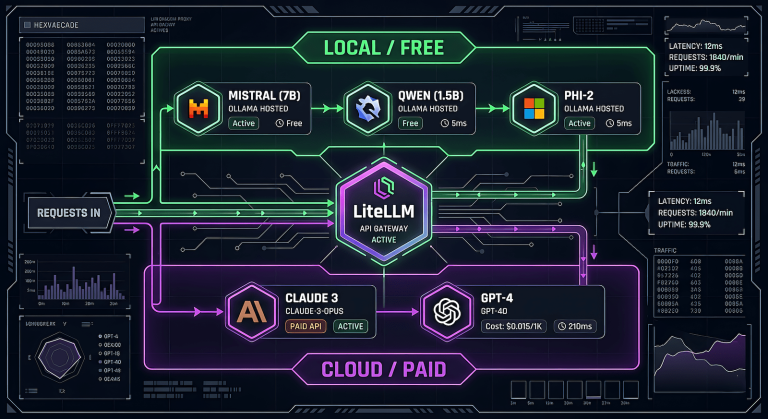
Local first does not mean local only. It means the default compute is on your machine, and you escalate to paid APIs only when the task genuinely requires it. Mistral running on Ollama handles topic generation and first drafts well enough to produce a usable starting point. That starting point goes to WordPress as a draft. You review it, rewrite what needs rewriting, add your actual experience, and publish. The AI did the scaffolding. You did the work that matters.
This is not a fully autonomous publishing pipeline. It is not trying to be. The goal is a backlog of structured drafts that reduce the blank page problem across six blogs simultaneously.
How the Pipeline Works
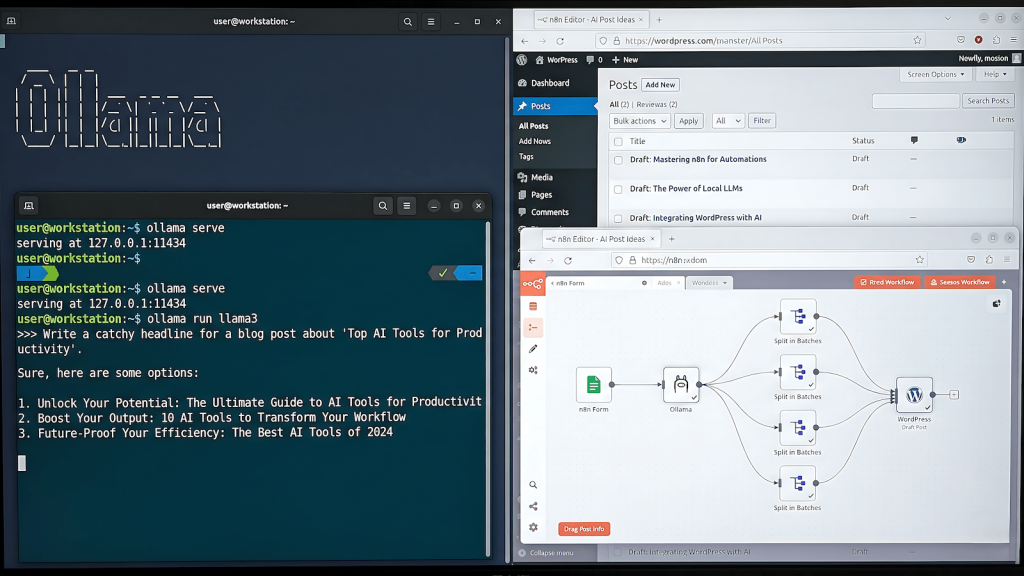
The stack is three things: n8n for orchestration, Ollama for local inference, and the WordPress REST API for delivery. n8n runs natively on Windows without Docker. Ollama runs as a background service with four models available locally. WordPress receives drafts via application passwords, no plugins required.
The full pipeline runs in approximately thirteen minutes for six blogs. One trigger, six sub-workflows running in sequence, six drafts landing in six different WordPress instances as unpublished drafts. I review the drafts on own my schedule and publishes what passes the quality bar.
The Stack: n8n, Ollama, WordPress REST API
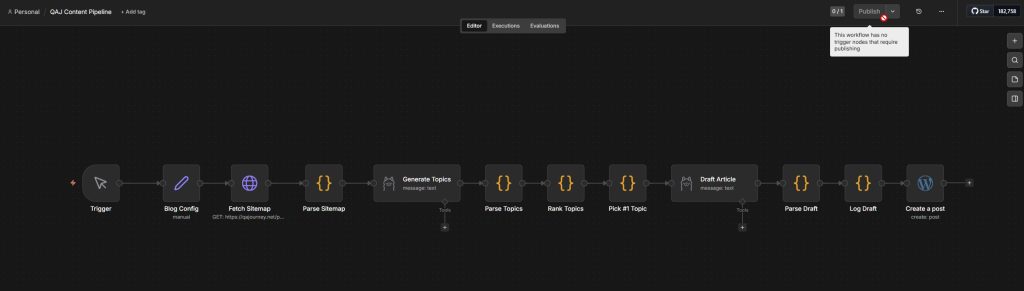
n8n handles the workflow logic: fetching sitemaps, passing data between nodes, calling Ollama via HTTP, pushing to WordPress. It does not generate content. It moves data and triggers inference calls at the right moments.
Ollama serves Mistral locally for topic generation and draft writing. If you are deciding between local inference tools, the comparison between Ollama, GPT4All, and containerized options covers the tradeoffs in detail. The models run on a GTX 1660 with 6GB VRAM, which is enough to fit Mistral entirely in GPU memory. Inference times are slower than cloud APIs but fast enough that a thirteen minute full run across six blogs is acceptable when you are not watching it happen.
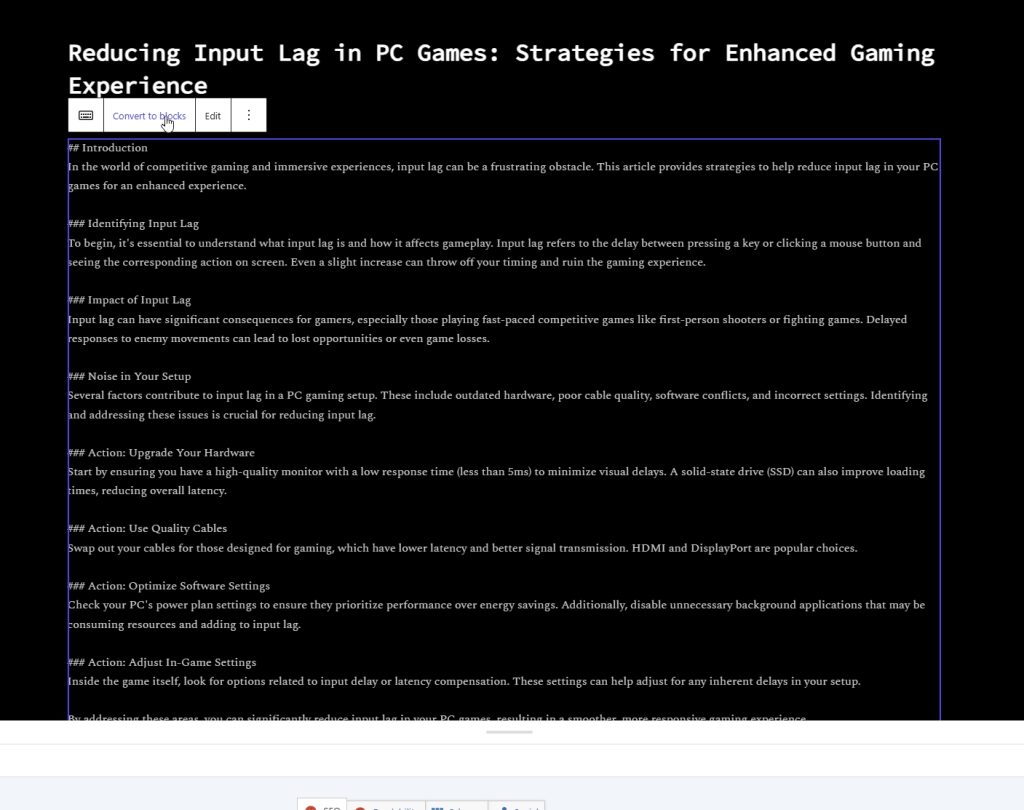
WordPress receives the draft via REST API using application passwords. The post lands as a draft with the title and content populated. Metadata includes focus keyphrase, slug, tags, category is appended as a readable block at the bottom of the draft content. The editor sets those fields manually during the review pass.
From Trigger to WP Draft in 13 Minutes

The sequence per blog is: fetch the post sitemap to check existing content, generate a topic cluster using Mistral, rank the topics using a JavaScript scoring function, pick the top-ranked topic, generate the full draft, parse the output, log the draft, push to WordPress.
Each sub-workflow takes between one minute fifty seconds and two minutes twenty seconds. The variation comes from Mistral inference time, which fluctuates based on prompt complexity and available VRAM. The sitemap fetch, JavaScript processing, and WordPress API calls are effectively instant.
What I Got Wrong First
Building this pipeline involved more wrong turns than the final result suggests. Three failures shaped the current architecture more than any of the things that worked.
Mistral vs phi4: The Timeout Problem
The original plan was to use phi4 for draft generation. At 9.1GB, phi4 is significantly more capable than Mistral for following structured prompts and producing longer output. The problem is that 9.1GB does not fit in 6GB of VRAM. phi4 spills to CPU memory, which dramatically slows inference. On an 8th generation i7 with 16GB of RAM, a single draft generation call exceeded the default timeout threshold in n8n and killed the execution.
Mistral at 4.4GB fits entirely in VRAM. Inference is fast enough to complete within any reasonable timeout. The output quality is lower but the pipeline completes reliably. A completed draft with flaws beats a timeout with nothing.
Why JSON Output Format Broke Everything
The first draft prompt asked Mistral to return output as a JSON object with fields for title, slug, meta description, and content. This seemed like the right approach as a structured output that could be parsed cleanly and mapped to WordPress fields.
Mistral cannot reliably produce valid JSON when the content field contains a multi-paragraph article. The article body contains newlines, apostrophes, and occasional special characters that break JSON parsing. Every attempt to sanitize the output in a Code node introduced new edge cases. The JSON approach was abandoned after three sessions of debugging the same parse error from different angles.
The fix was to stop using JSON entirely. The prompt now instructs Mistral to use plain text separators between fields — a pattern like ---TITLE--- followed by the title, ---CONTENT--- followed by the article. A Code node extracts each section using string indexing rather than JSON parsing. String indexing does not care about special characters inside the content. It has not failed since.
The Groq Detour That Wasted an Hour
The plan included a quality rewrite pass using Groq’s free API tier after Mistral produced the initial draft. Groq runs Llama 3.3 70B at speeds that make local inference look slow, and the free tier is generous enough for a per-draft rewrite call.
Getting n8n’s HTTP Request node to send a properly structured JSON body to the Groq API took longer than building the rest of the pipeline combined. The node kept double-encoding the request body, sending escaped strings where Groq expected a parsed object. Every workaround introduced a different failure. After an hour of debugging, the rewrite pass was cut from the pipeline entirely. The review pass replaced it. Using an editorial auditor prompt during the human review pass does more reliable work than any automated rewrite layer, and it does not require fighting an HTTP node configuration.
What Actually Works
Three decisions made the pipeline stable where earlier attempts were not.
Separator-Based Output Format
Asking a local LLM to return structured data in JSON format is asking it to do two things at once: write good content and maintain valid syntax throughout. It will sacrifice one for the other, and it will sacrifice syntax. Separator-based output format separates those concerns. Mistral writes content. The Code node handles structure. Neither task interferes with the other.
JavaScript Ranking Instead of LLM Ranking
The first version of the topic ranking step sent all five generated topics back to Mistral and asked it to rank them by estimated search demand. Mistral ignored the original topics and generated five completely different ones, ranking those instead. A four-minute inference call produced output that was entirely useless.
The replacement is a JavaScript scoring function that runs in milliseconds. It checks each topic title and keyword against a set of demand signals and phrases like “how to,” “fix,” “optimize,” “vs” and boosts the score accordingly. It also checks whether the topic matches the blog’s niche keywords and applies a penalty for off-niche results. The highest scoring topic goes to draft generation. The function is not sophisticated but it is reliable and fast.
One Click, Six Blogs, Walk Away
The master executor workflow chains six sub-workflows in sequence using n8n’s Execute Sub-workflow node. Each sub-workflow handles one blog. The master passes a content type variable such as info, hook, or money that each sub-workflow reads from its Blog Config node. Changing the content type for an entire run means changing one field in one node before hitting execute.
When I start the workflow (master executor) I’m free to move away for thirteen minutes and when I come back I have six WordPress drafts. The drafts are not publication-ready. They are structured starting points with metadata suggestions appended. The review pass is the actual editorial work. The broader question of which models handle which tasks in a multi-model stack and why the configuration evolves under pressure is covered in the multi-model writing stack breakdown.
When Local Is Enough and When It Is Not
Mistral on a mid-range consumer GPU is enough for first drafts that need editorial work before publication. It is not enough for drafts that need to be publication-ready without significant intervention. The gap between those two use cases determines whether local inference is the right tool.
When Local Is Enough
Local inference works when the output is an input to a human editorial process, not a final product. Topic clusters, first drafts, metadata suggestions, social post copy — these are all tasks where a usable starting point is more valuable than a polished output. Mistral produces usable starting points consistently enough to justify the setup cost.
It also works when volume matters more than perfection. Six drafts in thirteen minutes at zero marginal cost is a different value proposition than one polished draft from a paid API at a cost that compounds across every post. If the publishing workflow includes a human review step anyway, the quality floor just needs to be high enough to be worth reviewing. The technique of using a local LLM alongside a more capable model for context extension and recall follows the same logic, local handles volume, cloud handles precision.
The Case for Upgrading to Paid APIs When Revenue Justifies It
The pipeline architecture is designed to swap local inference for API calls without rebuilding anything. The Ollama HTTP node gets replaced with a Gemini or Claude API call. The prompt stays the same. The output parsing stays the same. WordPress delivery stays the same.
When AdSense revenue from the content this pipeline produces crosses the threshold where an API subscription costs less than the time saved on editorial rewrites, the upgrade makes financial sense. Until that threshold, local inference is the right call. The pipeline runs either way.